
One E-Invite for Your Haldi, Mehendi, Sangeet and Wedding
MyGuestWork lets Indian couples and their families send one designed wedding e-invite on WhatsApp, choose which functions each guest is invited to, and collect an RSVP for every function. It is on Premium and Event Bundles.
Each household gets one invitation and one RSVP link that asks only about their functions. When the celebrations begin, one QR code opens each function's tables, menu and schedule.
Premium Included on Premium and Event Bundles. Compare plans
What guests see when the e-invite arrives on WhatsApp
You send the invitation from your own WhatsApp, in your chat with each guest or household. The message greets them by name and ends with their personal link. When WhatsApp shows a link preview, it is a wide crop of your designed invitation, so the design is the first thing they see.
Tapping the link opens the full invitation in their phone's browser, with an RSVP button under it. There is no app to install and no account to create. A household gets one message and one link, so one person can answer for everyone in it.
Choose which functions each guest is invited to
Many Indian weddings have a different guest list for each function. The haldi might be close family, the sangeet a few hundred and the reception everyone your parents know. In MyGuestWork you keep one guest list for the whole celebration and mark each guest for the functions they are invited to.
Invite a whole selection to a function in one action, or pick people one at a time. If your list is in a spreadsheet, import it straight into the functions you choose. You can call them functions, days or events, and spell each name the way your family does, mehendi or mehndi.
Each household then gets one invitation and one RSVP link. The design is the same for everyone, and the RSVP behind it asks only about that household's functions, so a guest invited to the wedding but not the haldi never sees a question about the haldi.
| Guest | Mehendi | Sangeet | Wedding & Reception |
|---|---|---|---|
| Patel family | Invited | Invited | Invited |
| Sharma family | Not invited | Invited | Invited |
| Rohan Iyer | Not invited | Not invited | Invited |
An RSVP for every function, in one reply
When a guest taps Attending, the RSVP opens a yes or no for each function they are invited to. A "Coming to everything?" shortcut answers yes for the whole household across every function in one tap.
Guests can add a plus-one by name if you allow it, and tell you their dietary requirements. The presets include vegetarian, vegan and halal, and you can add your own options, such as Jain. Guests can change their answer until your reply-by date.
Replies land on your guest list with a headcount for each function, which is the number your caterer will ask for. It is the same list you seat guests from, so a guest who declines the sangeet leaves the sangeet seating pool, and is flagged if you had already given them a table. See how online RSVP works in full.
Shenji Wedding
Wednesday 15 September 2027
You can RSVP for some or all of your party
Coming to everything?
Yes to everyone, all daysYou can still change anyone below.
Aarav Patel
Not responded yetMehendi
Wed, 15 Sept
Sangeet
Thu, 16 Sept
Wedding & Reception
Fri, 17 Sept
Aanya Patel
Not responded yetYour response, dietary requirements and any note are shared with the event organiser. Privacy policy
Designing your wedding e-invite
Start from one of twelve designs made for Indian weddings: Punjabi phulkari, Gujarati bandhani, a Bengali alpona, Tamil silk and jasmine, the Kerala backwaters, a Rajasthani palace at dusk, a lantern garden for a Nikah and Walima, and more. Each one fills in your names and the dates from your first function to your last, so nothing goes out with sample names on it.
Change the wording, font and colour of any text, and switch off a line you don't need, such as the blessing. Where the names are in foil, you can switch it off for a flat colour. Pick from 20 fonts or upload your own font file. Guest names are not printed on the image, so one design works for every household.
Already have a card from a designer? Upload it as a JPEG, PNG or WebP image instead, and it goes out the same way, with each household's own RSVP. Guests who prefer email get the invitation by email, and the email lists only the functions they are invited to. See how the digital invitation designer works.
-
 Marigold Curtain
 -
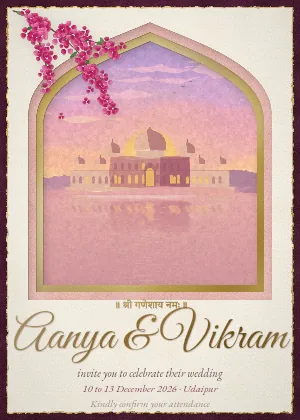 Palace at Dusk
 -
 Lantern Garden
 -
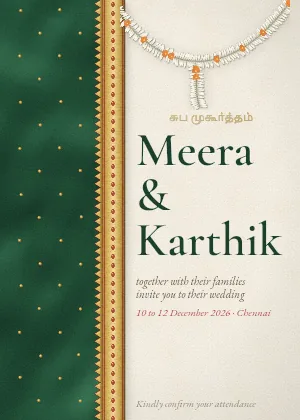 Silk and Jasmine
 -
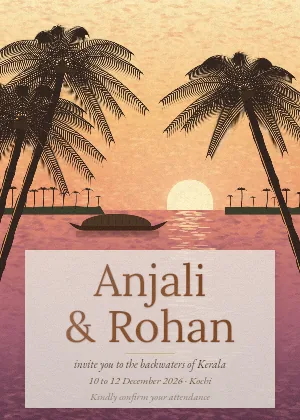 Backwaters Golden Hour
 -
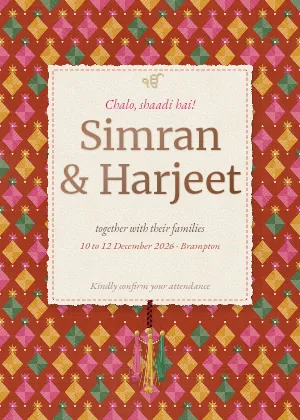 Phulkari Party
 -
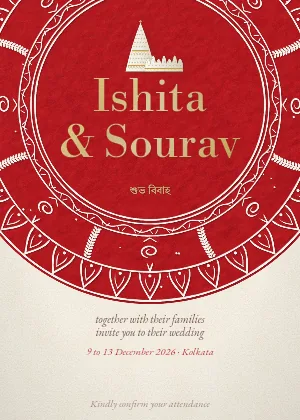 Alpona and Shola
 -
 Bandhani Garba
 -
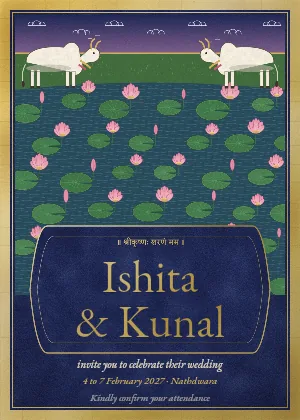 Pichwai Lotus
 -
 Mehndi Lines
 -
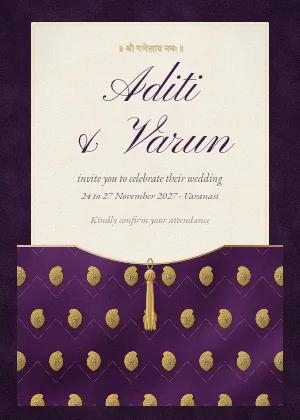 Midnight Zari
 -
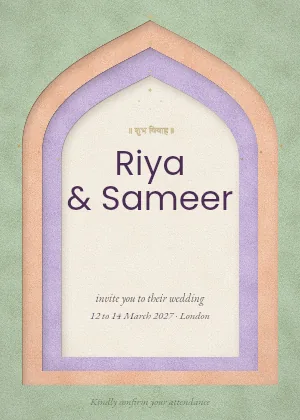 Modern Desi
Sending wedding invitations from your own WhatsApp
There is no bulk send. Each tap opens your WhatsApp on that guest's chat with the message and link already written, and you press send. Nothing goes through a WhatsApp Business account, and nothing is sent without you.
Add phone numbers with the country code, such as +91, and each one is checked when it is saved. For a guest with no number, WhatsApp opens its contact picker and you choose the chat. Each guest you have shared with is marked Shared on WhatsApp with the date, so you keep your place in a long list.
For a family group chat, send a shareable RSVP link that covers only the functions you pick, such as one link for the mehendi group. Anyone who replies through it joins your guest list for those functions. Read more about sending invitations on WhatsApp.
After the RSVPs, one QR code for every function
The invitation is the start. At each function, guests scan one QR code, choose the function from a day picker and see their table, the menu and the schedule for that function only.
Each function has its own seating, menu, floor plan and information, and one event holds up to 10 of them. Move someone between tables the night before and the page shows the change the next time they look. See how seating for multi-day events works.

Shenji Wedding
Select a day
What the wedding e-invite does not do
Worth knowing before you choose it.
-
One design for the whole celebration
Every function shares the same invitation design. What changes from household to household is which functions their RSVP asks about.
-
No bulk WhatsApp or SMS
You send each message from your own WhatsApp. There is no WhatsApp Business API, no scheduled sending and no SMS.
-
No meal choice or custom questions
The RSVP asks about each function, plus-ones, dietary requirements and a note. It does not ask guests to choose a dish or answer questions of your own.
Indian wedding e-invite questions
You send one invitation per household, and it covers only the functions that household is invited to. The design is the same for every function, and the RSVP behind it asks only about their own functions.
It does when WhatsApp shows a link preview, which uses a wide crop of your designed invitation. Tapping the link opens the full invitation with an RSVP button under it.
Yes. Guests answer yes or no for each function they are invited to, in one reply for their whole household.
No. Each invitation opens in your own WhatsApp with the message written, and you press send, one chat at a time. For a family group chat, share one RSVP link that covers only the functions you pick.
Yes. Twelve designs are made for Indian weddings, including Punjabi, Gujarati, Bengali, Tamil, Kerala and Rajasthani ones and one for a Nikah and Walima. Each fills in your names and the dates from your first function to your last. If you already have a card from a designer, you can upload it as an image instead.
Yes, if you add Jain as a dietary option. The RSVP comes with presets such as vegetarian, vegan and halal, and you can remove them or add your own.
No. The invitation and the RSVP open in the phone's browser, with no app to install and no account to create.
Premium and Event Bundles. Invitations, RSVP and events with several functions are all on Premium, which has unlimited guests, and every Event Bundle event includes everything in Premium.
More questions? Contact us
Send one e-invite for every function
Add your functions and guest list, design your invitation and send it on WhatsApp. On Premium and Event Bundles.