






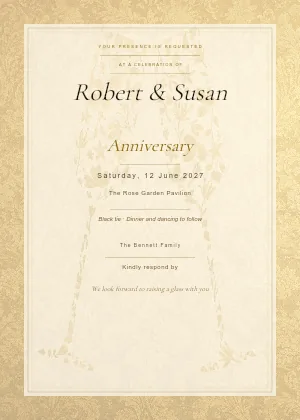

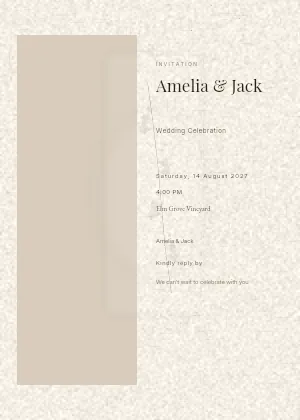





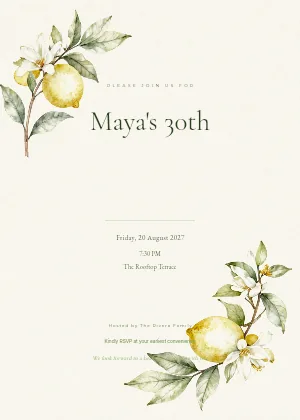

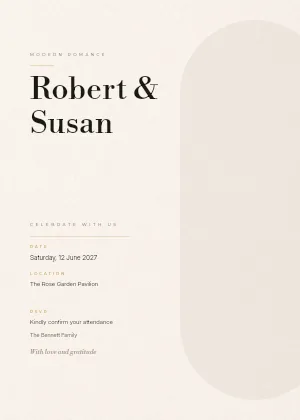












One-day event
Sophie & James
Find your table, then look at the floor plan, the menu and the Photos tab.
Open the live site
Demo
Going live takes a few short steps: create your event, add your guests, seat them and get your QR code. The rest is optional, and every part is here to watch.
Your first event is free for up to 50 guests.
Events
Let’s set up your Premium event
Add your guests, send invitations and collect RSVPs, then share one QR code.
Create your Premium event
Leave blank to use Day 1, Day 2…Leave blank to use Function 1, Function 2…
Sophie & James
Setup Checklist
1 / 4 1 / 5Next Step: Add guests
Required Setup
Complete event details
Add guests
Assign seating
Assign seating: Wedding
Not set up
Assign seating: Recovery Brunch
Not set up
View/Edit Live Site
Optional Additions
Add more to your guest experience.
Set up RSVP & invitations
Design invitations, collect RSVPs, and track replies.
Customise event URL
Upload floor plan
Upload menu
Enable photo uploads
Customise design
Set themes, branding, and typography.
Create signage with Canva
Choose a Canva template or create your own.
Live Site Preview
Reflects your current saved design
Open Live SiteLive Access
Scan or share this QR code and link with your guests.
https://app.myguestwork.com/find/7c3e9a1f04b2d68e5a1c9f30
Guest Assets
Everything guests can see. Toggle to show or hide each on your live site.
Seat lookup
Show group members
Floor Plan
Not uploaded UploadMenu
Not uploaded UploadPhoto uploads
ConfigureGuests
Guest list
0 guests
Add your first guest
Build your guest list and assign seating so guests can find their way.
Guests
Guest list
6 guests
Guests
Guest list
6 guests7 guests8 guests
Guests
Guest list
8 guests
Guests
Guest list
10 guests
Guests
Guest list
10 guests
Guests
Guest list
10 guests on Wedding
Guests
Guest list
0 guests on Welcome Drinks
No guests on Welcome Drinks yet
Invite people already on your guest list, add someone new, or import a list into this function.
Guests
Guest list
4 guests on Welcome Drinks
Guests
Guest list
0 guests on Recovery Brunch
No guests on Recovery Brunch yet
Invite people already on your guest list, add someone new, or import a list into this function.
Guests
Guest list
10 guests on Recovery Brunch
Settings
Event details
Event name *
Sophie & JamesDate *
Venue / location
Garden Estate VenueSeating label
TableHow seats are labelled on the live site (e.g. "Table", "Room", "Booth").
Timezone
(GMT+11:00) SydneyDetected from your browser. Change it if the event is elsewhere, or choose “Not set” to leave it off. A timezone improves day-of-event analytics and the event date shown on invitations.
Live site link
Functions
The separate functions of your celebration. Guests see no change yet.
Days
The separate days of your celebration. Guests see no change yet.
Share this link or QR code with your guests.
https://app.myguestwork.com/find/7c3e9a1f04b2d68e5a1c9f30https://sophieandjames.event.myguestwork.com/wedding
Uses MyGuestWork's own address, which you can personalise, like chloeandethan.event.myguestwork.com/wedding. You don't need a domain of your own, and there's nothing to set up.
Your guests currently use the standard MyGuestWork link:
https://app.myguestwork.com/find/7c3e9a1f04b2d68e5a1c9f30
Leave blank to use the standard MyGuestWork event link.
Leave blank to use a generated link (7c3e9a1f04b2d68e5a1c9f30). The combination of URL and link must be unique.
Locked to protect QR codes and guest links.
White-label your event: use a domain you already own and pay for, like guests.yourdomain.com, as the address of your live site. You add one setting where your domain is managed, and we do the rest. No domain of your own? Use the Custom Event URL above instead.
This would replace your whole website at sophieandjames.com. Add a name in front instead, for example wedding.sophieandjames.com. The name can be anything you like.
Use wedding.sophieandjames.comHow it works
Connecting wedding.sophieandjames.com
Usually the company you pay each year for sophieandjames.com.
The record to add:
| Type | CNAME |
|---|---|
| Name / Host | wedding |
| Value | cname.vercel-dns.com |
| TTL | Leave as default |
Someone else looks after your domain?
Send them these instructions. They include the exact record to add.
Waiting for the DNS record. Last checked just now.Checking…
We'll keep checking. You can close this page; it usually goes live within an hour of adding the record.
Your QR code and guest links now use this address. Your MyGuestWork link still works as a backup. QR codes you printed before still work. Download the new one for anything you print from now on.
Keep sophieandjames.com renewed: if it expires, QR codes printed with this address stop working.
Remove custom domainDelete event
Permanently removes this event and all data.
RSVP
Set up your RSVP
13 of 7 done
Invitation progress
10
Guests
0
Invites sent
0
Awaiting reply
8
Ready to send
Next steps
Guest summary
By function
| Function | Invited | Attending | Declined | Awaiting |
|---|---|---|---|---|
| Welcome Drinks | 4 | 0 | 0 | 4 |
| Wedding | 10 | 0 | 0 | 10 |
| Recovery Brunch | 10 | 0 | 0 | 10 |
Needs attention
RSVP
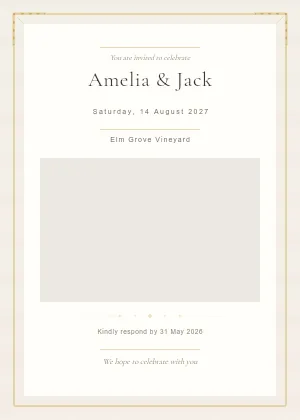
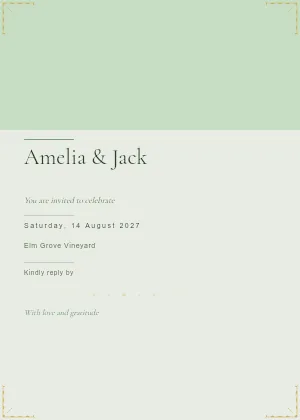
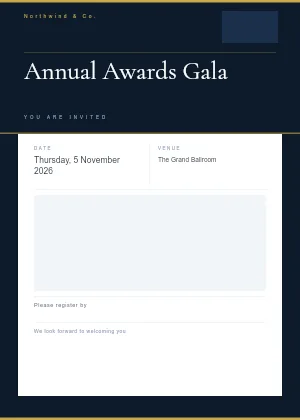
Choose a template
Pick an invitation template to start your invitation.
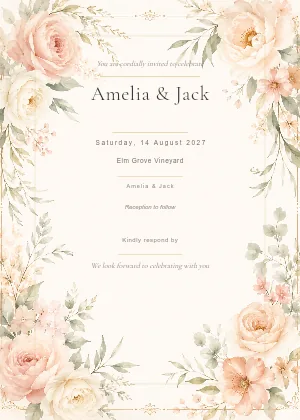
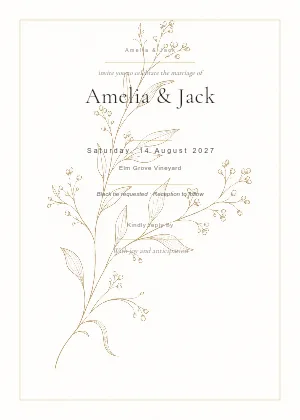
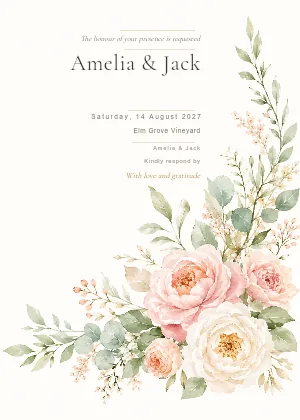
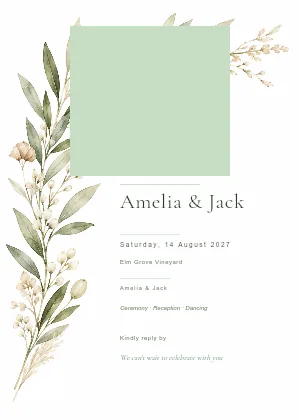
RSVP
Style your invitation and write the message.
Your invitation
This text appears above and below your invitation image in the email your guests receive.
Sender name
The name guests see the email is from. Leave blank to use the event name.
Sophie & JamesSubject line
Message above the invitation image
Message below the button in the email
Email button label
RSVP NowRSVP
Guest RSVP page colours
Presets
Availability
Response deadline
No deadline30 Jul 2027, 11:59 pmTimezone
(GMT+11:00) SydneyGuests see this deadline on the RSVP page. Timezone: Sydney (GMT+11).
Lock responses after deadline
After the deadline, guests can't accept or add a plus-one, but can still switch to “can't make it”.
Guest answers
Allow plus-ones
Choose which individual guests and groups can bring a plus-one, and how many, in Guests.
Dietary requirements
Choose which options guests can pick. “No dietary requirements” and a free-text “Other” are always shown.
Add your own
Note to host
Guests can leave a short message with their RSVP.
Welcome message
Optional. Shown above the form on the RSVP page.
e.g. We're so excited to celebrate with you! Please RSVP by 1 June.36/2000
Live preview
Sophie & James
Wednesday 29 September 2027
Alex Morgan
Dietary requirements
Your response, dietary requirements and any note are shared with the event organiser. Privacy policy
Sophie & James
Wednesday 29 September 2027
Alex Morgan
Dietary requirements
Your response, dietary requirements and any note are shared with the event organiser. Privacy policy
Exactly what guests see · updates as you edit
RSVP
10 guests · 2 still need an email before they can be invited.
Open the main Guests page: categories, seating, notesaisha.khan@example.com
+61491570110
arjun.sharma@example.com
+61491570156
emily.chen@example.com
+61491570157
amelia.clarke@example.com
+61491570158
omar.khan@example.com
+61491570159
lucas.martin@example.com
+61491570313
chloe.nguyen@example.com
grace.lee@example.com
Edit your invitation message or send a test email in the Invitation tab →
RSVP
10 guests · 2 still need an email before they can be invited.
Open the main Guests page: categories, seating, notes2 guests · 2 awaiting
aisha.khan@example.com
Ready to send
2 guests · 2 awaiting
chloe.nguyen@example.com
Ready to send · 1 no email
arjun.sharma@example.com
+61491570156
emily.chen@example.com
+61491570157
amelia.clarke@example.com
+61491570158
lucas.martin@example.com
+61491570313
grace.lee@example.com
Edit your invitation message or send a test email in the Invitation tab →
RSVP
10 guests · 2 still need an email before they can be invited.
Open the main Guests page: categories, seating, notes2 guests · 2 awaiting
emily.chen@example.com
Ready to send
2 guests · 2 awaiting
aisha.khan@example.com
Ready to send
2 guests · 2 awaiting
chloe.nguyen@example.com
Ready to send · 1 no email
arjun.sharma@example.com
+61491570156
amelia.clarke@example.com
+61491570158
grace.lee@example.com
Edit your invitation message or send a test email in the Invitation tab →
RSVP
10 guests · 2 still need an email before they can be invited.
Open the main Guests page: categories, seating, notes1 guest hasn't responded yet. Send them a reminder of the invitation.
2 guests · 2 awaiting
emily.chen@example.com
Ready to send
2 guests · 2 awaiting
aisha.khan@example.com
Ready to send
2 guests · 2 awaiting
chloe.nguyen@example.com
Ready to send · 1 no email
arjun.sharma@example.com
+61491570156
amelia.clarke@example.com
+61491570158
grace.lee@example.com
Edit your invitation message or send a test email in the Invitation tab →
RSVP
10 guests · 2 still need an email before they can be invited.
Open the main Guests page: categories, seating, notes8 guests haven't responded yet. Send them a reminder of the invitation.
2 guests · 2 awaiting
emily.chen@example.com
2 sent
2 guests · 2 awaiting
aisha.khan@example.com
2 sent
2 guests · 2 awaiting
chloe.nguyen@example.com
1 sent · 1 no email
arjun.sharma@example.com
+61491570156
amelia.clarke@example.com
+61491570158
grace.lee@example.com
Edit your invitation message or send a test email in the Invitation tab →
RSVP
10 guests · 2 still need an email before they can be invited.
Open the main Guests page: categories, seating, notes8 guests haven't responded yet. Send them a reminder of the invitation.
2 guests · 2 awaiting
emily.chen@example.com
2 sent
2 guests · 2 awaiting
aisha.khan@example.com
2 sent
2 guests · 2 awaiting
chloe.nguyen@example.com
1 sent · 1 no email
arjun.sharma@example.com
+61491570156
amelia.clarke@example.com
+61491570158
grace.lee@example.com
Edit your invitation message or send a test email in the Invitation tab →
RSVP
10 guests · 2 still need an email before they can be invited.
Open the main Guests page: categories, seating, notes1 guest hasn't responded yet. Send them a reminder of the invitation.
2 guests · 2 attending
emily.chen@example.com
2 sent
2 guests · 2 attending
aisha.khan@example.com
2 sent
2 guests · 1 attending · 1 awaiting
chloe.nguyen@example.com
1 sent · 1 no email
arjun.sharma@example.com
+61491570156
amelia.clarke@example.com
+61491570158
grace.lee@example.com
aisha.khan@example.com
+61491570110
arjun.sharma@example.com
+61491570156
emily.chen@example.com
+61491570157
amelia.clarke@example.com
+61491570158
omar.khan@example.com
+61491570159
lucas.martin@example.com
+61491570313
chloe.nguyen@example.com
grace.lee@example.com
Edit your invitation message or send a test email in the Invitation tab →
Seating
Tables
Total tables
5
Assigned
Guests seated
10
Unassigned
Guests remaining
0
Over Capacity
Tables over limit
0
2 awaiting guests are already seated.
Filter →All guests are assigned.
5 tables
Select a table
Click a table or tick its checkbox to view and manage its guests.
Seating
Tables
Total tables
5
Assigned
Guests seated
9
Unassigned
Guests remaining
1
Over Capacity
Tables over limit
0
2 awaiting guests are already seated.
Filter →All guests are assigned.
5 tables
Select a table
Click a table or tick its checkbox to view and manage its guests.
Seating
Tables
Total tables
6
Assigned
Guests seated
9
Unassigned
Guests remaining
1
Over Capacity
Tables over limit
0
2 awaiting guests are already seated.
Filter →All guests are assigned.
6 tables
Select a table
Click a table or tick its checkbox to view and manage its guests.
Seating
Tables
Total tables
6
Assigned
Guests seated
9
Unassigned
Guests remaining
1
Over Capacity
Tables over limit
0
2 awaiting guests are already seated.
Filter →All guests are assigned.
6 tables
Select a table
Click a table or tick its checkbox to view and manage its guests.
Seating
Tables
Total tables
6
Assigned
Guests seated
9
Unassigned
Guests remaining
1
Over Capacity
Tables over limit
0
2 awaiting guests are already seated.
Filter →All guests are assigned.
6 tables
Head Table
1 / 8
Available1 attending · 0 awaiting · 0 declined
Assigned Guests
12 selectedSeating
Tables
Total tables
6
Assigned
Guests seated
9
Unassigned
Guests remaining
1
Over Capacity
Tables over limit
0
2 awaiting guests are already seated.
Filter →All guests are assigned.
6 tables
Head Table
1 / 2
Available1 attending · 0 awaiting · 0 declined
Assigned Guests
12 selectedSeating
Tables
Total tables
6
Assigned
Guests seated
9
Unassigned
Guests remaining
1
Over Capacity
Tables over limit
0
2 awaiting guests are already seated.
Filter →All guests are assigned.
6 tables
Table 3
3 / 8
Available1 attending · 2 awaiting · 0 declined
Assigned Guests
12 selectedSeating
Tables
Total tables
5
Assigned
Guests seated
6
Unassigned
Guests remaining
4
Over Capacity
Tables over limit
0
1 attending guest does not have a table assigned.
Filter →2 awaiting guests do not have a table assigned.
Filter →Arjun Sharma
AwaitingChloe Nguyen
AttendingLiam Nguyen
Awaiting3 guests unassigned
5 tables
Select a table
Click a table or tick its checkbox to view and manage its guests.
Seating
Tables
Total tables
5
Assigned
Guests seated
7
Unassigned
Guests remaining
3
Over Capacity
Tables over limit
0
1 attending guest does not have a table assigned.
Filter →1 awaiting guest does not have a table assigned.
Filter →1 awaiting guest is already seated.
Filter →Chloe Nguyen
AttendingLiam Nguyen
Awaiting2 guests unassigned
5 tables
Select a table
Click a table or tick its checkbox to view and manage its guests.
Seating
Tables
Total tables
5
Assigned
Guests seated
9
Unassigned
Guests remaining
1
Over Capacity
Tables over limit
1
2 awaiting guests are already seated.
Filter →All guests are assigned.
5 tables
Select a table
Click a table or tick its checkbox to view and manage its guests.
Seating
Tables
Total tables
5
Assigned
Guests seated
9
Unassigned
Guests remaining
1
Over Capacity
Tables over limit
1
2 awaiting guests are already seated.
Filter →All guests are assigned.
5 tables
Head Table
3 / 2
Over capacity2 attending · 1 awaiting · 0 declined
Assigned Guests
12 selectedSeating
Tables
Total tables
5
Assigned
Guests seated
9
Unassigned
Guests remaining
1
Over Capacity
Tables over limit
0
2 awaiting guests are already seated.
Filter →All guests are assigned.
5 tables
Head Table
1 / 2
Available1 attending · 0 awaiting · 0 declined
Assigned Guests
12 selectedSeating
Tables
Total tables
5
Assigned
Guests seated
9
Unassigned
Guests remaining
1
Over Capacity
Tables over limit
0
2 awaiting guests are already seated.
Filter →All guests are assigned.
5 tables
Table 4
3 / 8
Available2 attending · 1 awaiting · 0 declined
Assigned Guests
12 selectedSeating
Tables
Total tables
5
Assigned
Guests seated
9
Unassigned
Guests remaining
1
Over Capacity
Tables over limit
0
2 awaiting guests are already seated.
Filter →All guests are assigned.
5 tables
Table 4
2 / 8
Available1 attending · 1 awaiting · 0 declined
Assigned Guests
12 selectedSeating
Tables
Total tables
5
Assigned
Guests seated
8
Unassigned
Guests remaining
2
Over Capacity
Tables over limit
0
1 attending guest does not have a table assigned.
Filter →2 awaiting guests are already seated.
Filter →Grace Lee
Attending1 guest unassigned
5 tables
Table 4
1 / 8
Available0 attending · 1 awaiting · 0 declined
Assigned Guests
12 selectedSeating
Tables
Total tables
5
Assigned
Guests seated
8
Unassigned
Guests remaining
2
Over Capacity
Tables over limit
0
1 attending guest does not have a table assigned.
Filter →2 awaiting guests are already seated.
Filter →Grace Lee
Attending1 guest unassigned
5 tables
Table 7
2 / 8
Available1 attending · 1 awaiting · 0 declined
Assigned Guests
12 selectedSeating
Tables
Total tables
5
Assigned
Guests seated
9
Unassigned
Guests remaining
1
Over Capacity
Tables over limit
0
2 awaiting guests are already seated.
Filter →All guests are assigned.
5 tables
Table 7
3 / 8
Available2 attending · 1 awaiting · 0 declined
Assigned Guests
12 selectedSeating
Tables
Total tables
5
Assigned
Guests seated
9
Unassigned
Guests remaining
1
Over Capacity
Tables over limit
0
2 awaiting guests are already seated.
Filter →2 assigned guests found across 1 table
Aisha Khan
Table 6
Omar Khan
Table 6
1 of 5 tables
Table 7
3 / 8
Available2 attending · 1 awaiting · 0 declined
Assigned Guests
12 selectedNo assigned guests match this search.
Seating
Tables
Total tables
5
Assigned
Guests seated
9
Unassigned
Guests remaining
1
Over Capacity
Tables over limit
0
2 awaiting guests are already seated.
Filter →2 assigned guests found across 1 table
Aisha Khan
Table 6
Omar Khan
Table 6
1 of 5 tables
Table 6
3 / 8
Available3 attending · 0 awaiting · 0 declined
Assigned Guests
12 selected2 matching guests in this table
Seating
Tables
Total tables
0
Assigned
Guests seated
0
Unassigned
Guests remaining
10
Over Capacity
Tables over limit
0
6 attending guests do not have a table assigned.
Filter →2 awaiting guests do not have a table assigned.
Filter →Aisha Khan
AttendingArjun Sharma
AwaitingChloe Nguyen
AttendingEmily Chen
AttendingGrace Lee
AttendingLiam Nguyen
AwaitingNoah Williams
AttendingOmar Khan
Attending8 guests unassigned
No tables yet
Add a table to start assigning guests.
Add a tableSelect a table
Click a table or tick its checkbox to view and manage its guests.
Seating
Seating is turned off for Welcome Drinks
Tables and seat assignments for this function are hidden, not deleted. Turn seating back on in Settings to see them again.
Go to SettingsSets fonts, colours and tab style in one tap.
A photo makes your site feel like your event.
Portrait works best: one photo serves both the band and the full cover.
The name guests see at the top of your site.
Changing one switches to your own look.
Drag to reorder. Guests land on the first tab.
Keep names short so they fit side by side on a phone.
To change or add your event information, go to the Content tab.
Open ContentTurn on if guests choose between days.
Each function shows its date under its name.
A different photo from your site means guests don’t see the same picture twice.
Text guests read as they use your site.
Off, so guests can share photos without a name.
Updates as you edit.
See it full sizeSophie & James
Setup Checklist
3 / 4 3 / 5Next Step: Assign seating
Next Step: Assign seating: Wedding
Required Setup
Complete event details
Add guests
10 guests added
Assign seating
9 of 10 guests assigned
Assign seating: Wedding
9 of 10 guests assigned
Assign seating: Recovery Brunch
Not set up
View/Edit Live Site
Optional Additions
Add more to your guest experience.
Set up RSVP & invitations
Invitations sent. Replies are coming in
Customise event URL
Upload floor plan
1 file uploaded
Upload menu
1 file uploaded
Enable photo uploads
Customise design
Set themes, branding, and typography.
Create signage with Canva
Choose a Canva template or create your own.
Live Site Preview
Reflects your current saved design
Open Live SiteLive Access
Scan or share this QR code and link with your guests.
https://sophieandjames.event.myguestwork.com/wedding
10 guests · 9 assigned
Guest Assets
Everything guests can see. Toggle to show or hide each on your live site.
Seat lookup
Show group members
Turn on Seat lookup first
Floor Plan
Uploaded ManageMenu
Uploaded ManageOn the day
Getting there
Dress code
How we met
Photo uploads
ConfigureTotal Uploads
7
Photos
6
Videos
1
7 items · 30.1 MB

Grace
Sep 29

Grace
Sep 29

Grace
Sep 29

Liam
Sep 29

Liam
Sep 29

Emily
Sep 29

Emily
Sep 29
Grace
3 uploads·6.1 MB
Liam
2 uploads·19.9 MB
Emily
2 uploads·4.1 MB
Sophie & James
Please find your table
Scan to search your name and find your table.
Add guest
1 guest added 2 guests addedTick every function they’re invited to.
Guests must be on at least one function, so the last one can’t be removed.
Possible duplicate name found
This guest name already exists in this event as Emily Chen. If this is a different guest, you can still add them and include a note to clarify.
Internal note (optional)
e.g. Bride's friend, Different Sarah ChenVisible to organisers only
Import guests
Upload a spreadsheet to add guests in bulk. Only a first-name column is required.
New to importing?
Download a template with every supported column.
Click to upload or drag and drop
CSV or Excel files supported
guest-list.xlsx
9 KB
This will remove current guests before importing the new file.
Import guests
Match your file's columns to guest fields, then import.Import complete.
First
autoSurname
autoMobile
autoTable
autoSide
autoAdd these guests to
Tick every function they’re invited to.
Guests must be on at least one function, so the last one can’t be removed.
Each field can be used once. Attendance status is for responses received outside MyGuestWork. Dietary notes here are your own, kept separate from any RSVP dietary answers. Unmapped columns are ignored.
6 guests imported
Import guests
Upload a spreadsheet to add guests in bulk. Only a first-name column is required.
New to importing?
Download a template with every supported column.
Click to upload or drag and drop
CSV or Excel files supported
family-list.csv
1 KB
This will remove current guests before importing the new file.
Import guests
Match your file's columns to guest fields, then import.Import complete.
Invitee
Table
autoPlus one?
Add these guests to
Tick every function they’re invited to.
Guests must be on at least one function, so the last one can’t be removed.
Each field can be used once. Attendance status is for responses received outside MyGuestWork. Dietary notes here are your own, kept separate from any RSVP dietary answers. Unmapped columns are ignored.
2 guests imported
1 row skipped
1 warning
Warnings
Skipped rows
Review duplicates
3 possible duplicate names found
Selected duplicates will be imported. Unselected duplicates will be skipped. Non-duplicates will import automatically.
Emily Chen
Possible duplicateExisting guest: Emily Chen
Grace Lee
Possible duplicateAppears multiple times in this file
Grace Lee
Possible duplicateAppears multiple times in this file
Invite guests to Welcome Drinks
Pick people already on your guest list. Nothing is sent to them. 10 of 10 aren’t on Welcome Drinks yet.
Invite guests to Recovery Brunch
Pick people already on your guest list. Nothing is sent to them. 10 of 10 aren’t on Recovery Brunch yet.
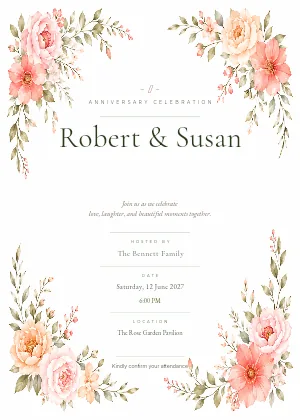
Classic Floral Wedding
Review suggested invitation groups
Each group shares one invitation and RSVPs together. Uncheck anyone who doesn’t belong, rename freely, then create them all at once. Nothing is grouped until you confirm.
Create an invitation group
Pick the guests who’ll share one invitation and RSVP together.
Group name
e.g. Smith FamilyEmily & 0 othersEmily & LucasCreate shared invite
Select guests (2 selected)
Shared invite name (optional)
Emily & LucasLeave blank to use guest names as the shared invite name.
Allow plus-one
Guests in this group can bring an additional person when RSVPing.
Send RSVP invites to 7 guests?
This will send 5 invites to 7 email recipients. 1 already-sent invite and 2 guests without an email address will be skipped. Shared invites are sent once per group and email all guests in the group.
New shareable link
Name this link
Only you see this. It is how you tell one link from another, for example Work friends.
Let people bring guests
Applies to this link only, whatever the event-wide plus-one setting is.
Guests each person can bring
1New shareable link
Name this link
Only you see this. It is how you tell one link from another, for example Work friends.
Let people bring guests
Applies to this link only, whatever the event-wide plus-one setting is.
Which functions is this link for?
People who reply are invited to these functions only, and answer for each one.
Tick every function they’re invited to.
Guests must be on at least one function, so the last one can’t be removed.
Guests each person can bring
1Shareable link
Family group chat
0 replies · up to 1 each
Shareable link
Family group chat
All functions
0 replies · up to 1 each
Media settings
Enable guest uploads
Show the Photos tab and allow guests to upload photos and videos.
Allow camera roll uploads
Guests can pick from their library. Turn off to require live camera only.
Allow guests to view event gallery
Guests can view and save uploaded photos and videos from the guest Photos tab. Guests cannot delete or manage media.
Changing this URL will switch your live site and QR code to the new link. The current one will stop working, and any copies already printed, downloaded, or shared will need to be replaced.
Enter a web address
Change section type?
Changing the type may hide this section’s current content.
Delete section?
“Gallery” and its 3 images will be permanently deleted. This cannot be undone.
Printable RSVP QR code
Add one QR code to your printed invitations. Guests scan it, find their invitation by name, and continue to your existing RSVP form.
Enable the printable QR
Generates the QR code and turns on the guest name lookup it points to.
Verification method
Guests enter their first and last name. Email can resolve duplicate names.Guests must enter both their name and email address.
Before you print
Style
Classic Rounded DotsQR colour
Background
RSVP link
Use the SVG for print (scales cleanly); the PNG is high-resolution. Print at least 2 cm wide and add a line below it, e.g. Please RSVP online - scan the QR code or visit https://app.myguestwork.com/rsvp/event/….
Export guest list
Download or email your guest list.
Release 1 seat?
This guest declined but still has a table. Releasing removes them from the seating chart. They stay on your guest list, and their reply is unchanged, but the table they were on will need reassigning if they change their mind.
Add table
Give the table a name and optionally set a guest capacity.
Table name *
e.g. Table 1Capacity (optional)
e.g. 10Leave blank for no limit.
Set table capacity
Apply the same guest capacity to one or more tables.
Capacity *
e.g. 10Apply the same capacity to multiple tables.
Apply to
Tables without capacity5All tables6Specific tables0 selectedEdit table
Update the table name or capacity limit.
Table name *
e.g. Table 1Head TableCapacity (optional)
e.g. 108Leave blank for no limit.
Delete Table 3?
All guests assigned to this table will be unassigned. Guests will not be deleted from the event.
Table capacity warning
Head Table has 1 seat available. You selected 2 guests to add.
Move guests
Move 2 guests from Head Table to another table.
Move guest
Choose a table to move this guest to.
Noah Williams
Currently at Table 4
Upload title font
Upload a .woff2 or .ttf font file. This will apply to the event title only. .ttf files are converted to .woff2 automatically.
What your guests see
Sophie & James
Wednesday 29 September 2027
You can RSVP for some or all of your party
Aisha Khan
Not responded yetOmar Khan
Not responded yetYour response, dietary requirements and any note are shared with the event organiser. Privacy policy
What your guests see
Sophie & James
Wednesday 29 September 2027
You can RSVP for some or all of your party
Coming to everything?
Yes to everyone, all daysYou can still change anyone below.
Aisha Khan
Not responded yetOmar Khan
Not responded yetYour response, dietary requirements and any note are shared with the event organiser. Privacy policy
What the Khan family see
Sophie & James
Wednesday 29 September 2027
We can't wait to celebrate with you!
RSVP by 30/07/2027 at 11:59pm (Australia/Sydney)
You can RSVP for some or all of your party
Aisha Khan
Not responded yetDietary requirements
Omar Khan
Not responded yetDietary requirements
Your response, dietary requirements and any note are shared with the event organiser. Privacy policy
What the Khan family see
Sophie & James
Wednesday 29 September 2027
We can't wait to celebrate with you!
RSVP by 30/07/2027 at 11:59pm (Australia/Sydney)
You can RSVP for some or all of your party
Coming to everything?
Yes to everyone, all daysYou can still change anyone below.
Aisha Khan
Not responded yetWelcome Drinks
Tue, 28 Sept
Wedding
Wed, 29 Sept
Recovery Brunch
Thu, 30 Sept
Dietary requirements
Omar Khan
Not responded yetWelcome Drinks
Tue, 28 Sept
Wedding
Wed, 29 Sept
Recovery Brunch
Thu, 30 Sept
Dietary requirements
Your response, dietary requirements and any note are shared with the event organiser. Privacy policy
In Aisha's inbox
WhatsApp opens with this message
Hi Noah Williams, you're invited to Sophie & James.
Tap the link to RSVP.
This link is personal to you, so please don't forward it.
https://app.myguestwork.com/i/…
What people in the chat see
Sophie & James
Wednesday 29 September 2027
Your details
We will email you a link, so you can view or change your reply later.
Will you be joining us?
The details you enter are added to this event's guest list and shared with the organiser. Privacy policy
After scanning the code
Sophie & James
RSVP
Enter your name exactly as it appears on your invitation.
Having trouble? Check the spelling, or contact the event organiser.
We use the name and email you enter only to find your invitation. Privacy policy
Emily replying for herself and Lucas
Sophie & James
Wednesday 29 September 2027
We can't wait to celebrate with you!
RSVP by 30/07/2027 at 11:59pm (Australia/Sydney)
You can RSVP for some or all of your party
Emily Chen
Not responded yetDietary requirements
Lucas Martin
Not responded yetDietary requirements
Your response, dietary requirements and any note are shared with the event organiser. Privacy policy
Emily replying for herself and Lucas
Sophie & James
Wednesday 29 September 2027
We can't wait to celebrate with you!
RSVP by 30/07/2027 at 11:59pm (Australia/Sydney)
You can RSVP for some or all of your party
Coming to everything?
Yes to everyone, all daysYou can still change anyone below.
Emily Chen
Not responded yetWelcome Drinks
Tue, 28 Sept
Wedding
Wed, 29 Sept
Recovery Brunch
Thu, 30 Sept
Dietary requirements
Lucas Martin
Not responded yetWelcome Drinks
Tue, 28 Sept
Wedding
Wed, 29 Sept
Recovery Brunch
Thu, 30 Sept
Dietary requirements
Your response, dietary requirements and any note are shared with the event organiser. Privacy policy
On the RSVP Summary
By function
| Function | Invited | Attending | Declined | Awaiting |
|---|---|---|---|---|
| Welcome Drinks | 4 | 4 | 0 | 0 |
| Wedding | 10 | 7 | 1 | 2 |
| Recovery Brunch | 10 | 6 | 2 | 2 |
What guests see when they open your link
Sophie & James
What guests see after picking photos
Sophie & James
2 moments captured
2 of 10 · room for 8 more
Only the hosts will see these

More pages
Open a real live site, the same page your guests get from the QR code. These are demo events with made-up guests.
One-day event
Find your table, then look at the floor plan, the menu and the Photos tab.
Open the live siteMulti-day event
Pick a day first: Mehendi, Sangeet or Wedding & Reception. Each day has its own tables, floor plan and menu.
Open the live siteStart with your guest list and build from there. Your first event is free for up to 50 guests.